
 WeddingFlow PH
So your digital wedding invitations are ready to go. Now what?
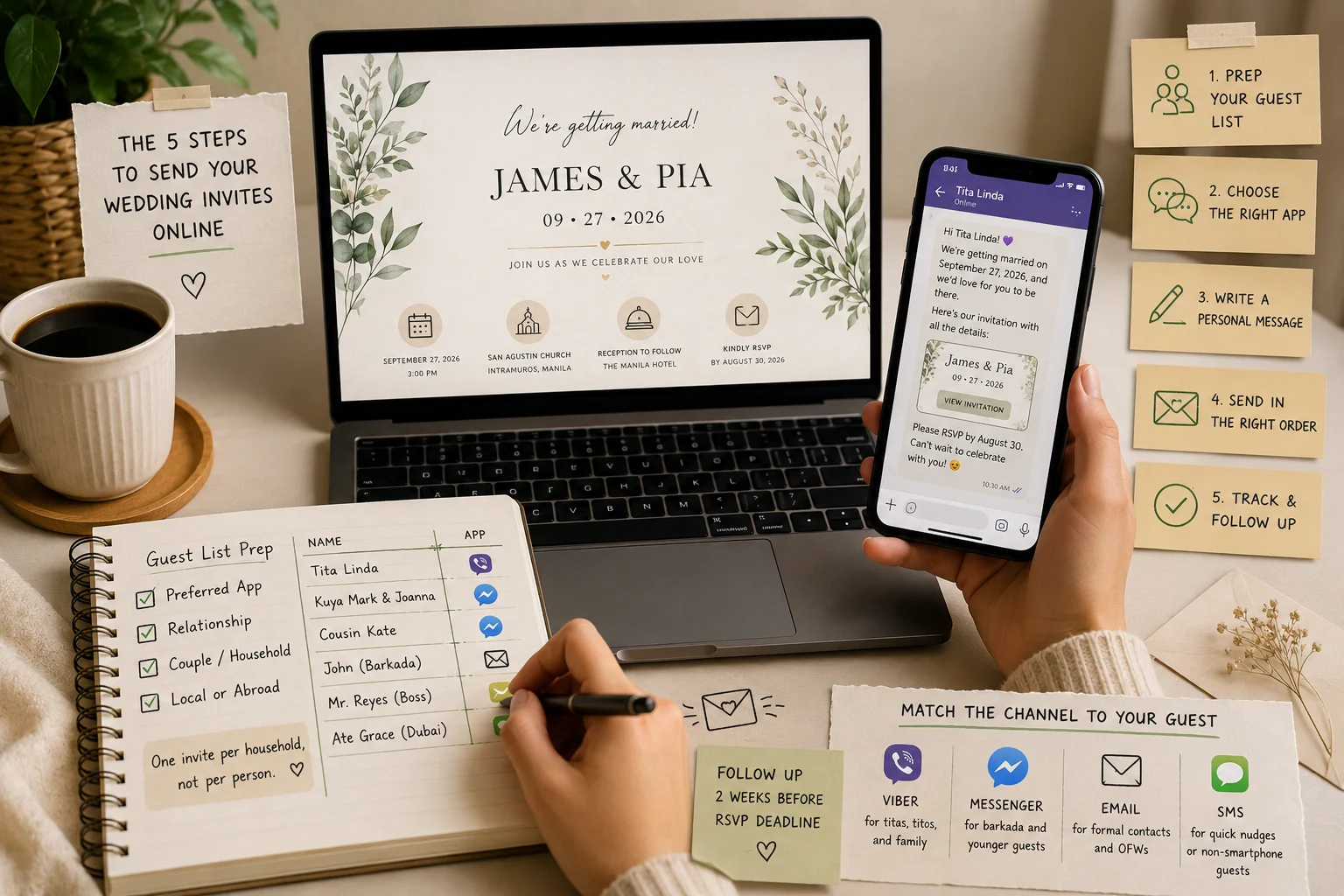
Sending them the right way matters just as much as designing them well. How to send wedding invitations online really comes down to five things: prepping your guest list, picking the right app for each guest, writing a message that feels personal, sending in the right order, and following up without being pushy.
This guide walks you through each step, built around how Filipino couples actually communicate: through Viber, Messenger, email, and the occasional text.
Highlights
- Prep your guest list with each person’s preferred app before you send anything.
- Match the channel to the guest: Viber for titas, Messenger for barkada, email for formal contacts.
- Personalize every message instead of copy-pasting the same text to everyone.
- Send in order: family first, then sponsors, then out-of-town guests, then everyone else.
- Follow up two weeks before your RSVP deadline, using the same app you first sent on.
Step 1: Get Your Guest List Ready Before You Send Anything
Before you send a single invite, take a few minutes to organize your list properly. This one step alone prevents most of the mix-ups couples run into later.
For each guest, note down:
- Their preferred app: Viber, Messenger, email, or SMS
- Their relationship to you (ninong, ninang, immediate family, barkada, officemate)
- Whether they’re part of a couple or household, so you send one invite per pair, not one per person
- Whether they’re local or based abroad, since that affects which app makes sense
Sending one invitation per household instead of one per person is a long-standing etiquette practice, not just a Filipino habit. It keeps your list cleaner and avoids confusing a couple with two separate invites for the same event.
This kind of prep takes a bit of time upfront, but it saves you from double-sending or an invite going out through the wrong app. Many digital invitation platforms, including WeddingFlowPH, let you store these guest details in one dashboard instead of juggling a separate spreadsheet.
Step 2: Choose the Right App for Each Guest
Not every guest checks the same app. Picking the right one for each person is what actually gets your invite opened.
Sending Through Viber
Viber works well for older relatives, titas, titos, and family members who are already active in family group chats there.
Send your invite as an individual message rather than a group chat, so it doesn’t get buried among other replies.
If you have a batch of guests who don’t need a personal touch, Viber’s Broadcast List feature sends one identical message privately to up to 50 contacts at once, without adding them to a shared thread. It sends the same message to everyone on the list though, so save it for casual contacts and send closer family and sponsors one by one instead.
Sending Through Messenger
Messenger is where your barkada, college friends, and younger guests already live.
Send your invite through an individual chat, not a group chat, since group threads bury your invitation under reactions fast. Messenger marks a message as seen once your guest actually opens it, so you’ll know who still needs a follow-up.
Sending Through Email
Email works best for OFW relatives who prefer formal correspondence, professional contacts, or anyone helping coordinate your entourage.
Use a subject line with both your names and the wedding date, and keep your RSVP link easy to spot instead of buried at the bottom of a long paragraph. If a guest rarely checks their inbox, email probably isn’t the right channel for them.
Sending Through SMS
Save SMS as a backup for guests without smartphones or reliable data, or as a quick nudge to confirm someone received your Viber or Messenger invite.
Keep the text short, since longer messages split into multiple billed segments, and this cost adds up fastest when texting relatives abroad. SMS also has no read receipt or built-in RSVP form, so it’s the hardest channel to track responses on.
Step 3: Write a Message That Doesn’t Feel Like a Mass Blast
The words around your link matter just as much as the link itself. A good invitation message does four things:
- Opens with the guest’s name, not “Dear Guest”
- States your names and the wedding date in one clear line
- Includes the link on its own line, not buried in a paragraph
- States your RSVP deadline directly in the message
Here’s a simple example for Viber or Messenger:
“Hi Tita Rosa! We’re getting married on September 27, and we’d love for you to be there. Here’s our invitation with all the details: [link]. Please RSVP by August 30. Can’t wait to celebrate with you!”
For email, a slightly more formal version works better, but the same structure applies. A two-minute personal touch per guest is often the difference between an invite that gets opened and one that gets ignored.
Step 4: Send in the Right Order, Not All at Once
Sending 200 invites all at once usually backfires. A better approach is to send in order.
- Immediate family and parents first. They can catch typos or broken links before your wider list sees them.
- Principal sponsors next. Even if your ninong and ninang are also getting a printed card, the digital link often carries the actual RSVP form.
- Out-of-town and OFW guests early. They need the most lead time to plan travel.
- Local friends and officemates last. They respond fastest and need the least lead time.
Spread your sending across a day or two instead of blasting your whole list at once, so you can catch mistakes before they reach everyone.
Step 5: Track Responses and Follow Up Without Being Pushy
Once your invites are out, keep an eye on who’s responded and who hasn’t.
Set a specific date, about two weeks before your RSVP deadline, to check your list. For guests who haven’t replied, send a short, friendly nudge, not the full invitation again. Use the same app they originally received the invite on, so the message feels consistent.
For guests who stay quiet even after a nudge, a personal call from a family member often works better than another digital reminder. That’s simply how RSVPs tend to go, and a little personal follow-up usually gets the job done.
Common Sending Mistakes to Avoid
A few small mistakes cause most of the sending headaches couples run into:
- Sending to a group chat instead of individual guests
- Using one generic message for every single guest
- Sending your entire list all at once instead of in batches
- Leaving out the RSVP deadline inside the message itself
- Relying on SMS as your main channel when most guests are on Viber or Messenger
- Skipping the step of testing your link on an actual phone before sending it out
Avoid these, and your invites will land the way you actually intended them to.
Conclusion
Sending wedding invitations online isn’t about picking one perfect app and calling it done. It’s about prepping your list, matching the right channel to each guest, writing a message that feels personal, sending in a smart order, and following up gently when needed.
Get these five steps right, and your invites will actually get seen, opened, and responded to, instead of buried in someone’s group chat.
If you’d rather skip the spreadsheets and app-juggling altogether, WeddingFlow PH gives you one link that works across Viber, Messenger, and email, with digital RSVP tracking built in.
Create your invitation today with us and send it the way your guests will actually see it.
Disclaimer: This article is for general informational purposes only. Features, interfaces, and policies for third-party platforms mentioned here (Viber, Messenger, email providers, and mobile carriers) may change without notice, so always check directly with those providers for current details. WeddingFlow PH has no affiliation with and does not guarantee the performance or availability of any third-party messaging platform mentioned. Guest response behavior and RSVP accuracy depend on individual guest actions and third-party platform reliability, and are not guaranteed outcomes of following this guide. Pricing and features for WeddingFlow PH or any other platform referenced are subject to change, so please verify current details before making a purchase decision.